
Join eXp Realty | A "How To" Step-By-Step Guide & Video

Wolf PackHello!
My name is Tony Anczer, I am an eXp Realty Team leader, and sponsor inside the Agent Wolf Pack. The word “sponsor,” in eXp language, means a free coach to newly joining agents to help you: 1 ) join eXp, 2) get connected with eXp (called “onboarding” in eXp language), and 3) support you in your eXp career. Any agent that lists me as sponsor: 1) would also be in the eXp Wolf Pack and receive all its features & benefits, 2) receives my ongoing support and coaching, 3) (might be obvious) receives all the resources and benefits of eXp Realty, and 4) receives access to my online SEO/lead generation training & coaching. This guide will walk you through the joining process, step-by-step.
In my experience from helping agents onboard, I find its best to schedule a Zoom call with me and I can guide you through the process in real time on a screen share – setup a Zoom call at my calendar link: tonyanczer.com/meeting
Also, feel free to give me a call/text on my cell at (708) 608-3000 or by email at Tony@Anczer.com.
The 6 Steps of How To Join eXp Realty
We will start with a quick overview of the 6 steps to join eXp Realty, then we will fully explain each step in more detail below.
- Submit your Application Online
- Your Real Estate License Is Verified
- eXp Brokers Review And Approve Your Application
- Complete Documentation
- Transfer Of Your Real Estate License to eXp
- Become An Active Agent (called the “Onboarding” process)
Note: License verification, broker approval and ICA documents must be completed before you can transfer your license.

Step 1 - Submit Your Application Online
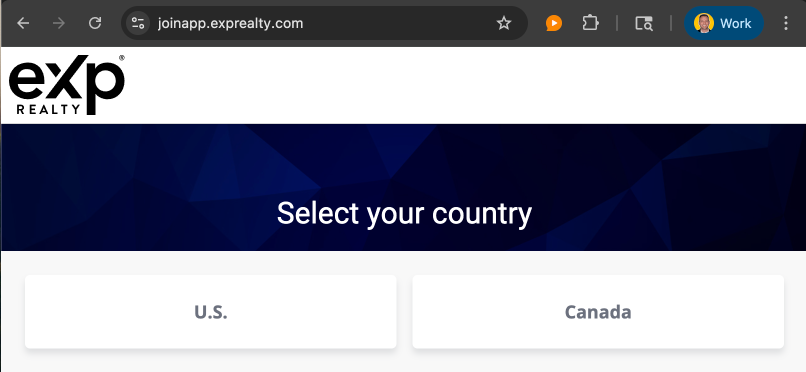
Okay! Let’s get your application started! The first step is to go to joinapp.exprealty.com, and you will get a screen to select your country, U.S. or Canada. For this example we will select U.S.
Click Your Country To Begin Creating Your Account
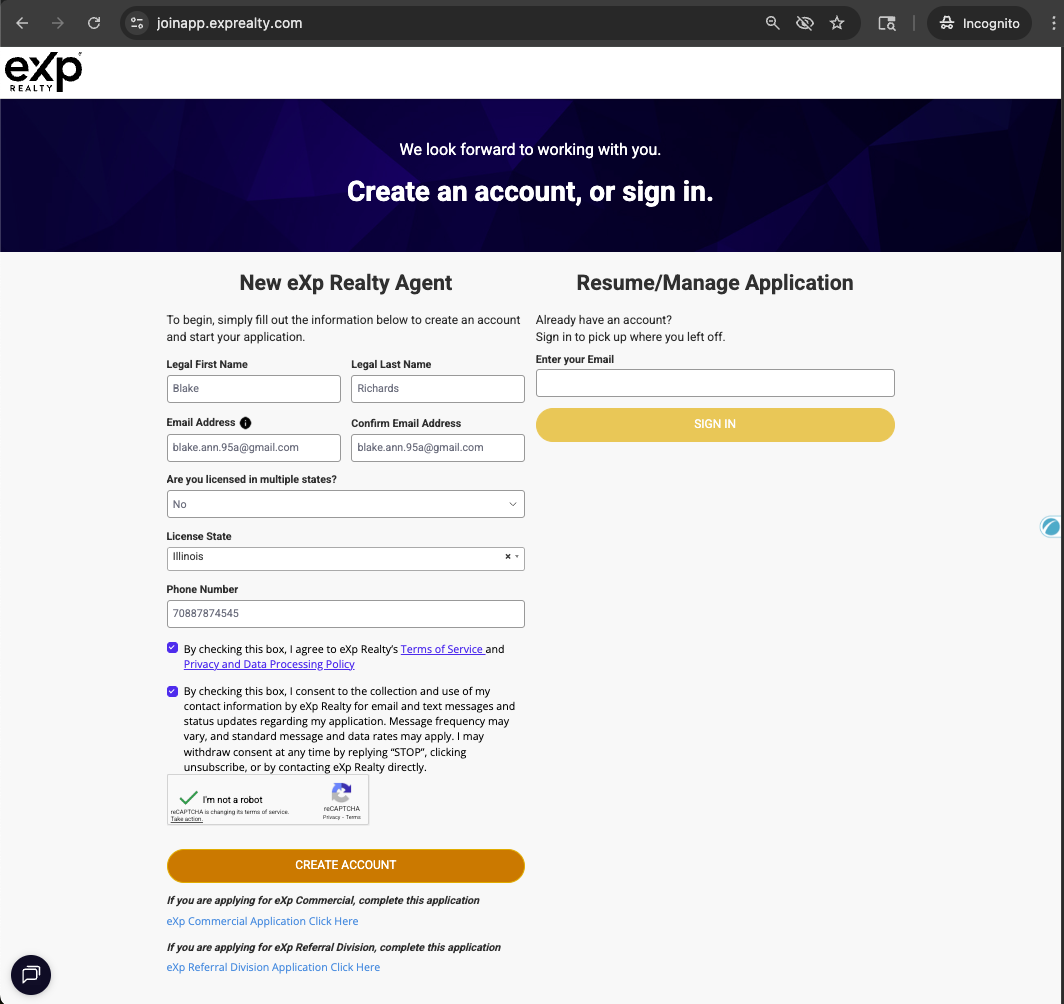
The next screen will prompt you to create a new account, or resume/manage your existing application. If you have not started an application yet, you would fill out the section for “New eXp Realty Agent,” but if you have already start an application, then you would enter your email in the “Resume/Manage Application” section. Fill out all your info, review and then click the buttons to agree to eXp Realty’s Terms of Service and Privacy and Data Processing Policy. Click “CREATE ACCOUNT.”
For this example, I’m making up an agent name “Blake Richards,” and creating a new application.
For Those Joining eXp Commercial or eXp Referral:
Note that if you are wanting to join eXp Commercial Division or eXp Referral Division, you would not fill out this page, and you would click the Commercial or Referral links under the “Create Account” Button
Enter Your Contact Info To Create Your Account
The information to enter next is:
- Legal First Name
- Legal Last Name
- Email Address
- Are you licensed in multiple states
- States your are licensed in
- Phone number
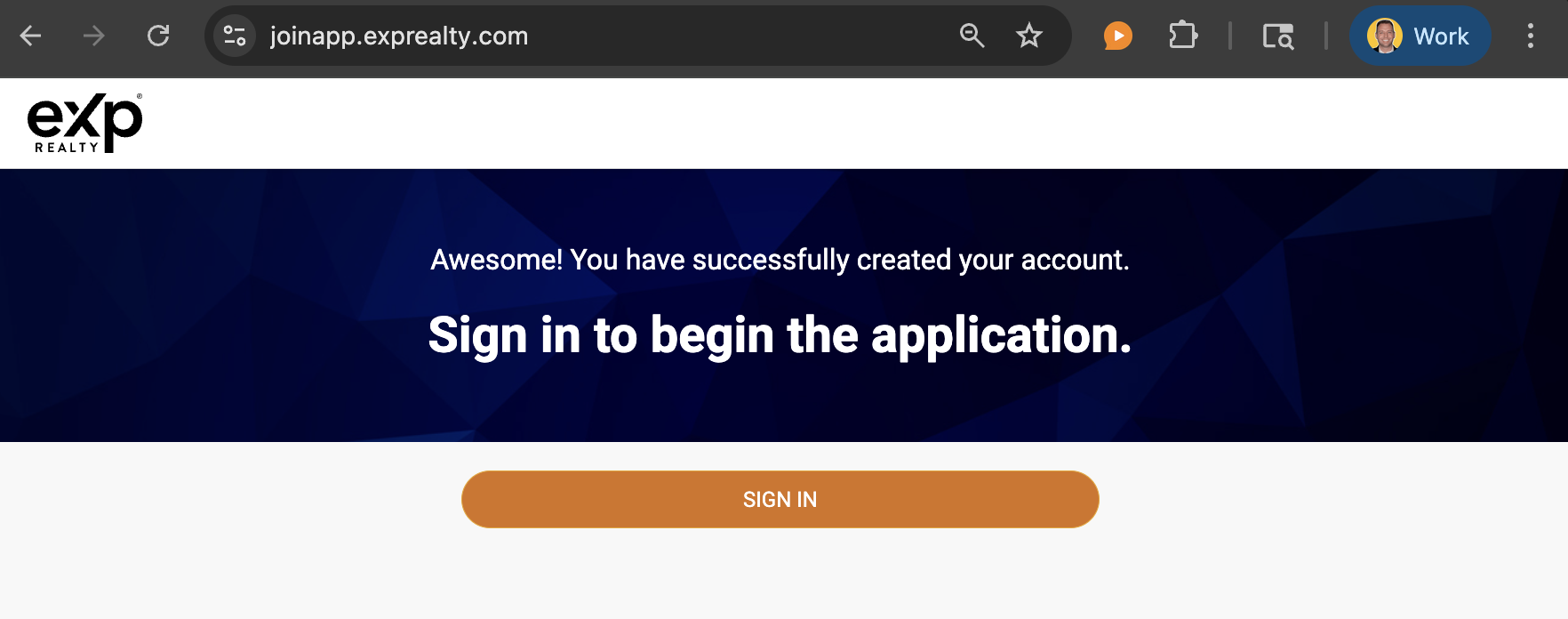
Then you will receive this screen prompting you to click the orange “SIGN IN” button to begin the application. When you click “SIGN IN”, in the back end of eXp’s systems, your “OKTA” account (a data security system) is setup.
Click SIGN IN To begin the Application
Now that your secure OKTA account is setup, you will be redirected to login to your eXp OKTA account:

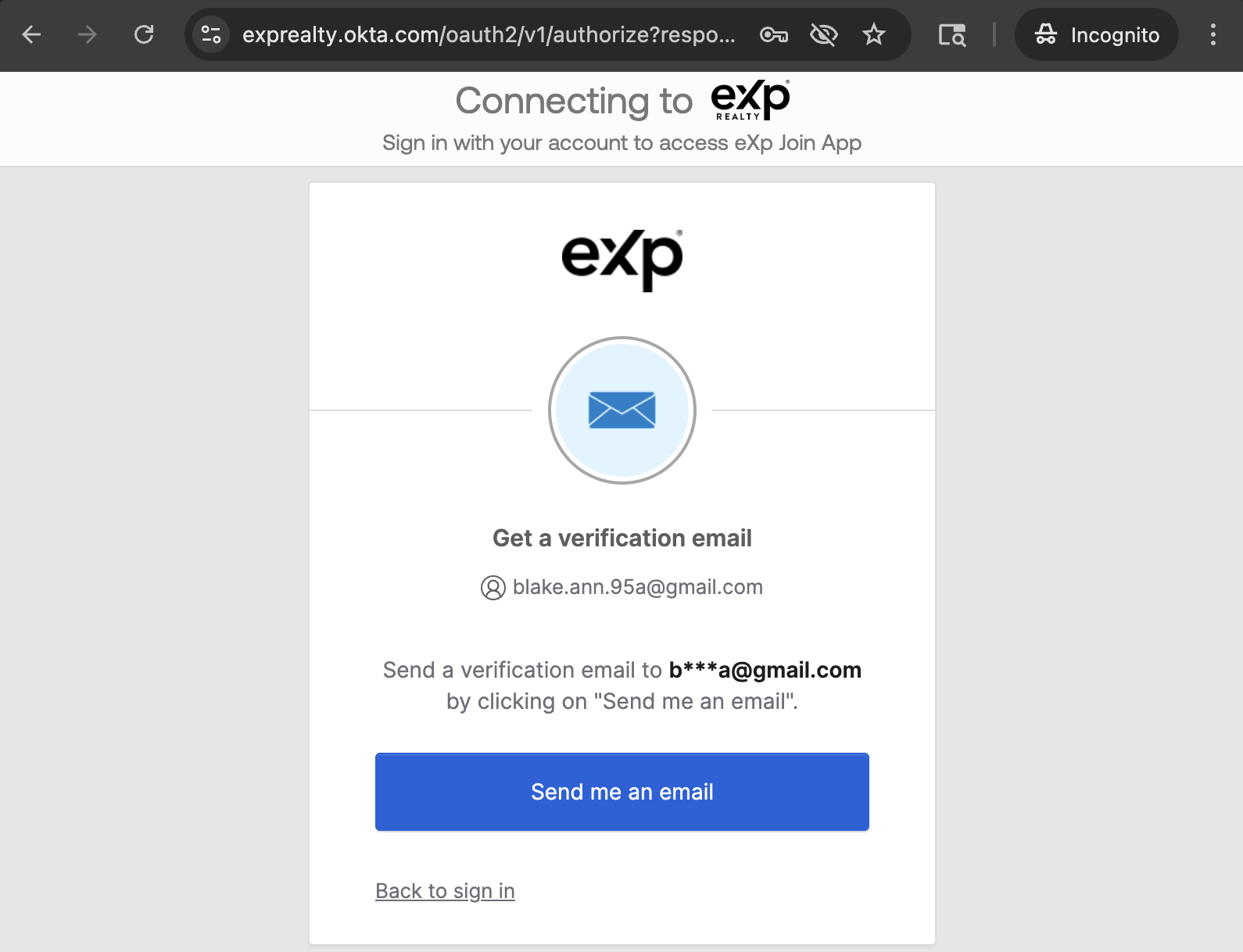
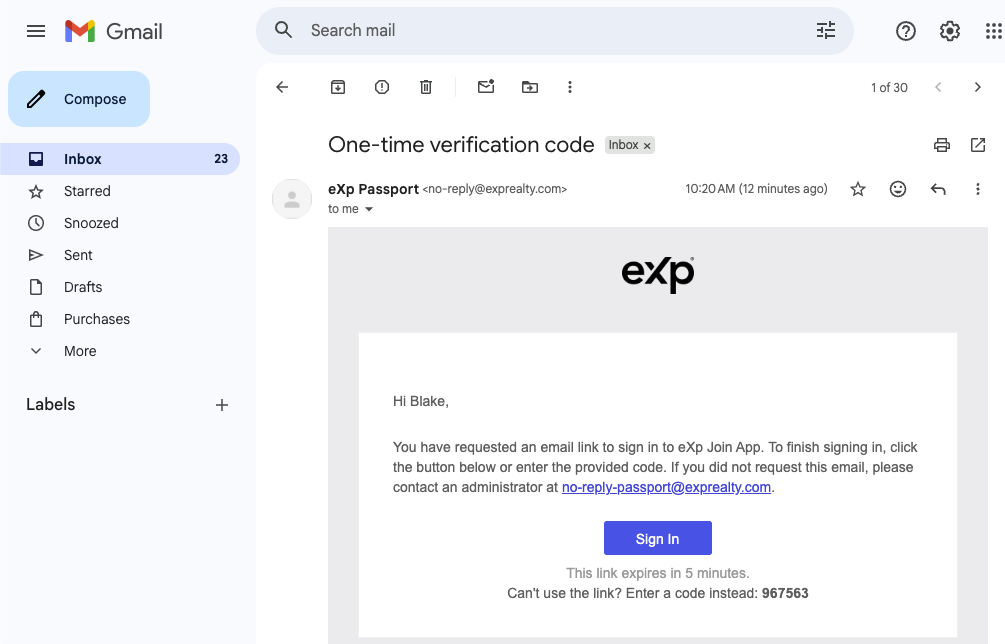
After clicking the blue “NEXT” button, you will receive the below prompt to have an email sent to you to verify your email account. Click the blue “Send me an email” button, and then check your email for an email from eXp. Open that email and click the link to verify your account. You can also verify your account by finding the verification code in the email sent to you, click the “Enter a verification code instead,” and enter the code.
Check Your Email Account For The Emails from eXp To Verify Your Account
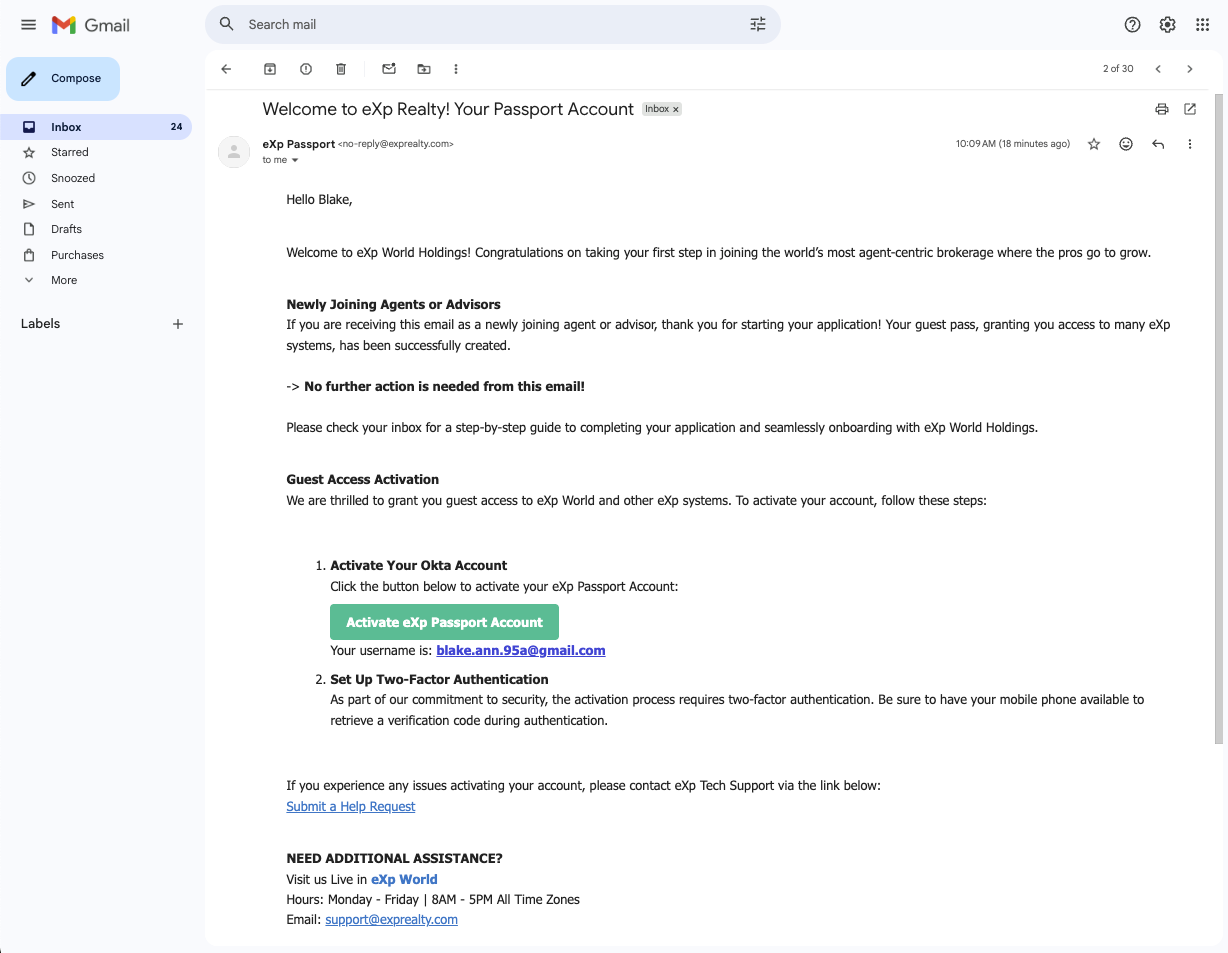
In your email inbox you should now see 2 emails from eXp: 1) an email from eXp Passport, subject “Welcome to eXp Realty! Your Passport Account”, and 2) an email from eXp Passport, subject “One-time verification code.”
This is what the “Welcome to eXp Realty” Your Passport Account” email looks like.
This is what the “One-time verification code” email looks like:
Sign In To Your eXp Account
Click “Sign In,” and then you will be brought to the eXp Join Process dashboard, which looks like:
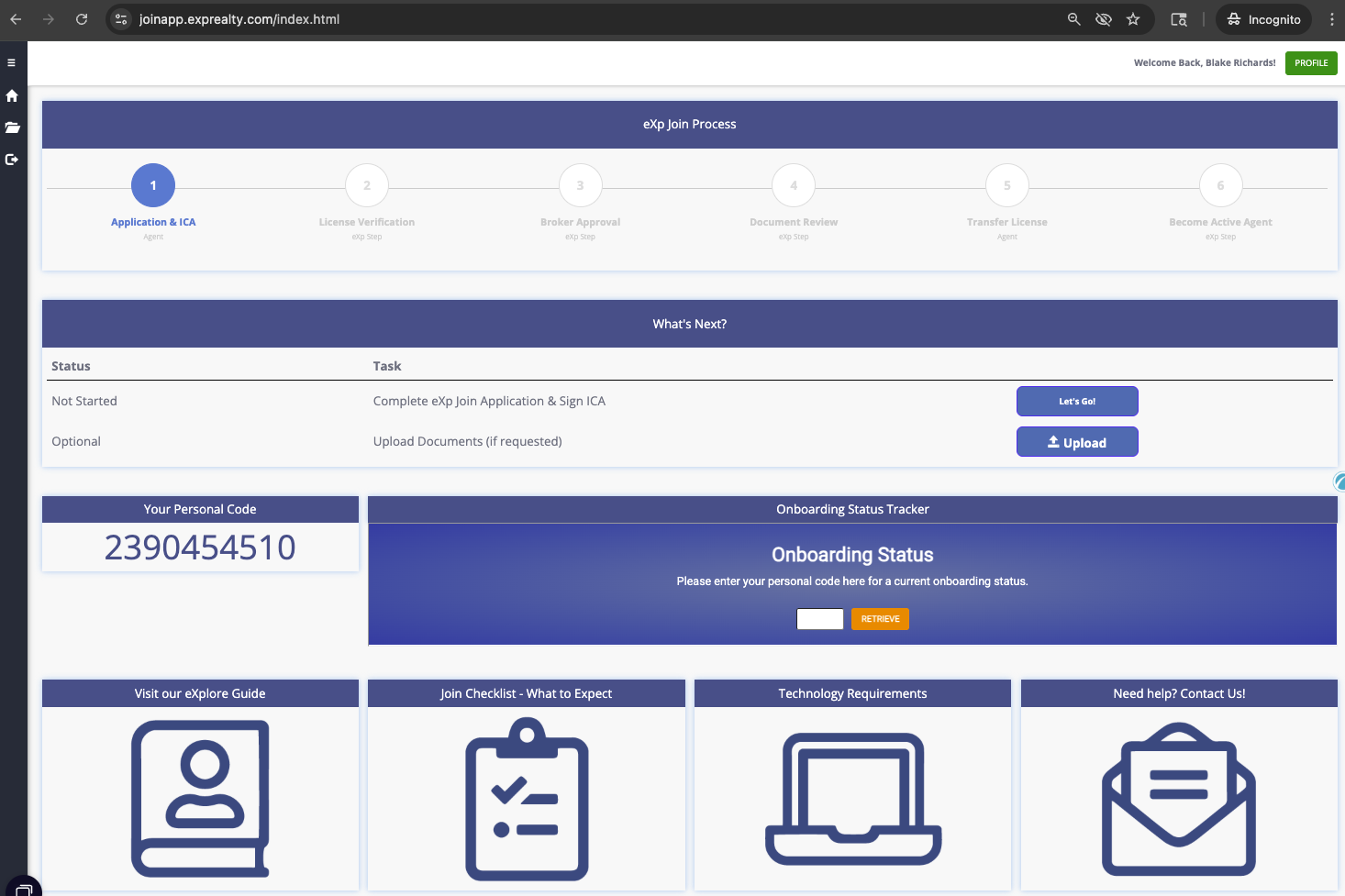
On this screen we see that the next step is to Complete eXp Join Application & Sign ICA (Independent Contractor Agreement)

Click "Let's Go" To Adance To Your Personal Information Screen
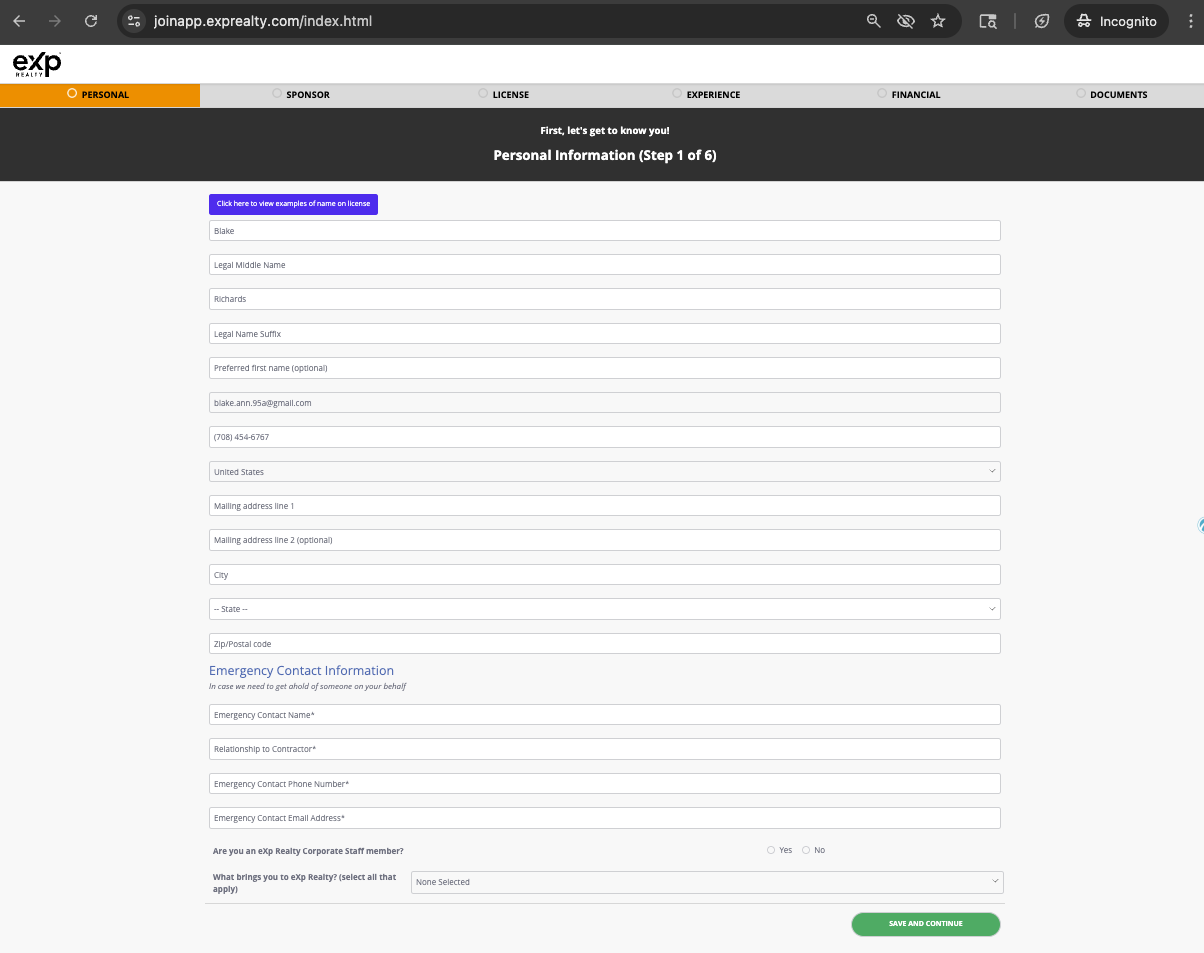
Click “Let’s Go!”, and then you will be brought to the next dashboard showing the screens of Personal, Sponsor, License, Experience, Financial, Documents
Fill Out The "Personal" Tab and Click "Save & Continue"
The information you need to enter on the Personal tab is:
- Legal First Name
- Legal Middle Name
- Legal Last Name
- Legal Name Suffix
- Preferred First Name (Optional)
- Email Address
- Phone Number
- Country
- Mailing Address Line 2
- Mailing Address Line 2 (optional)
- City
- State
- Zip/Postal Code
- Emergency Contact Information
- Emergency Contact Name
- Relationahip to Contractor
- Emergency Contact Phone Number
- Emergency Contact Email Address
- Are you an eXp Realty Corporate Staff member (yes/no)
- What brings you to eXp Realty? (select all that apply – company splits, revenue share, stock options, brokerage/business model, mentor program, training, technology, convenience, support)
Fill Out The "Sponsor" Tab, watch the eXp Sponsorship Explained video, and Click "I have viewed the video and understand the sponsorship policy"
On the Sponsor tab you enter the name of the eXp Agent that most influenced you to join eXp Realty. Who you select as Sponsor will be your first line for support, so be sure to enter someone that is in a great group at eXp Realty, knows eXp well, and can help you get onboarded and plugged into eXp Realty.
For agents that list me as sponor – you would then also be part of the Agent Wolf Pack that I am in (read all about the Agent Wolf Pack here), I would help you with the onboarding process (learn more about the eXp Onboarding process here), help you get your CRM and website up and running, help you get plugged into all the various eXp resources, and I’d provide ongoing coaching and mentorship. My sponsored agents also get access to my online lead generation triaining and coaching.
My Information To Enter For Sponshorship
- First Name: Anthony
- Last Name: Anczer
- Cell Phone: (708) 608-3000
- email: Tony.Anczer@exprealty.com
- Location: Dyer, IN US
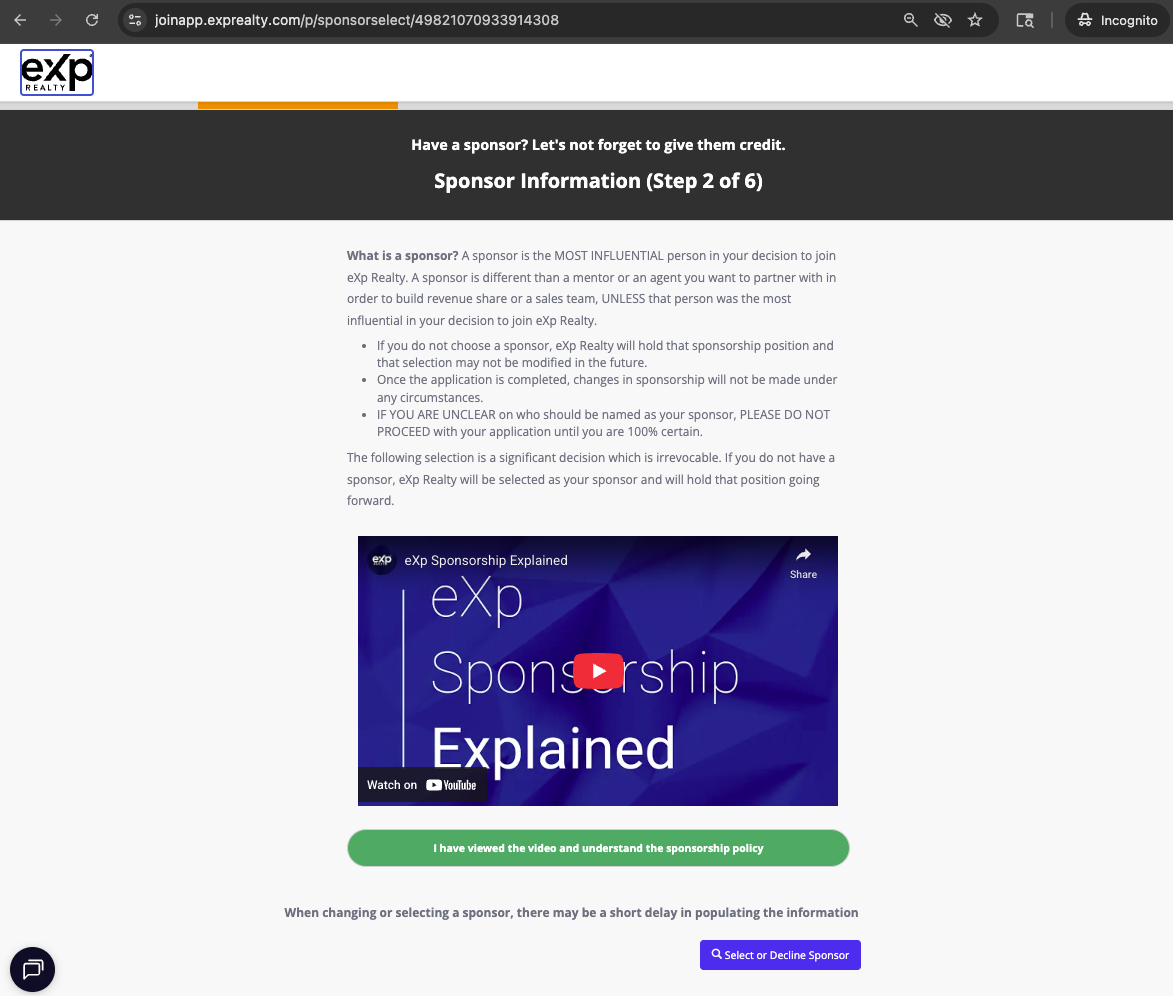
Click the blue "Select Sponsor" Button
Click the blue “Select Sponsor” button, and you will be prompted with the following screen.
To select me (Tony Anczer) as Sponsor, enter:
- Sponsore eXp Email: tony.anczer@exprealty.com
- Sponsor First Name: Anthony
- Sponsor Last Name: Anczer
- Country: US
Click “Search”, which will pull up my account, then click “Select”
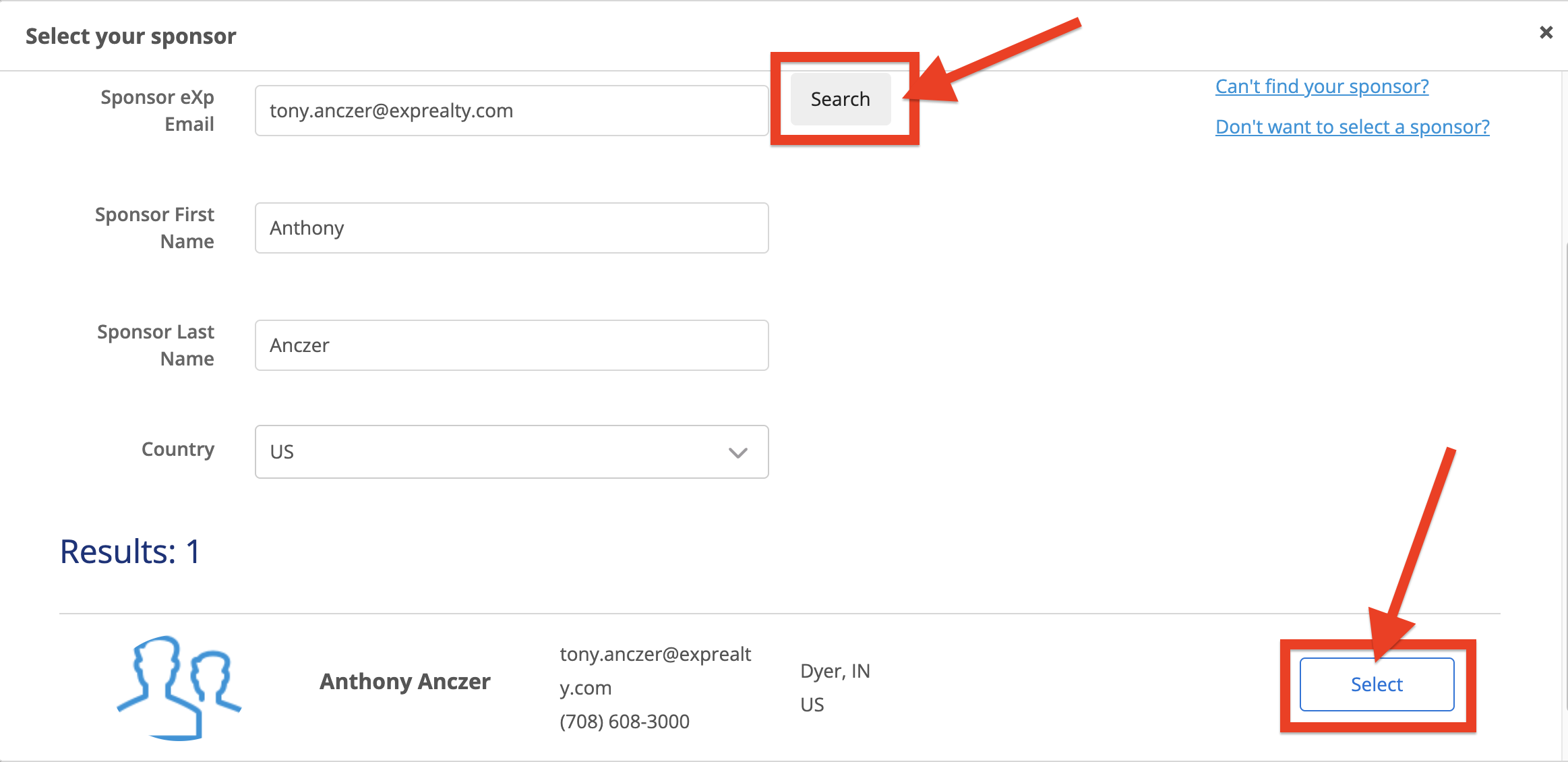
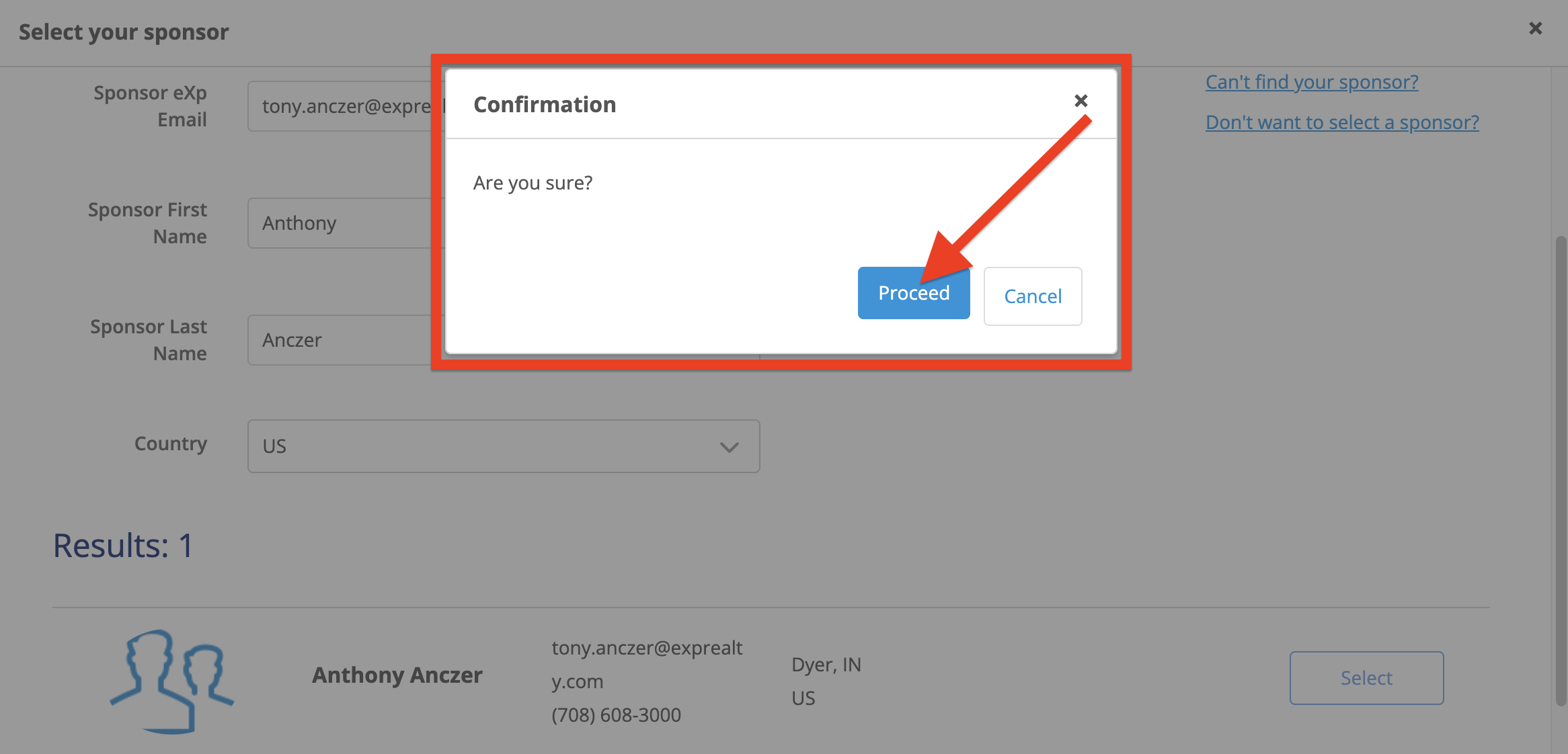
You will then be prompted with a Confirmation pop-up.
Click the blue “Proceed” button
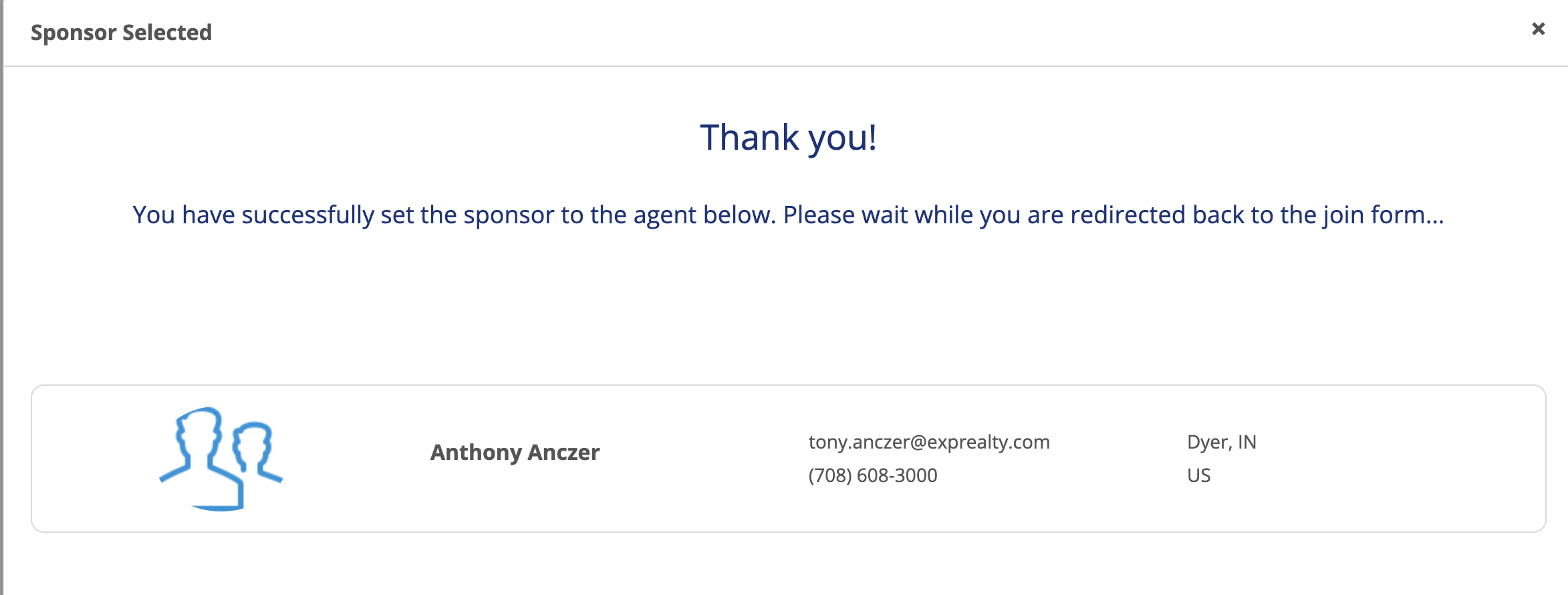
Next a Sponsor confirmation screen will display, confirming the Sponsor you selected.
After the Sponsor confirmation screen displays, the screen will then switch to the below login screen.
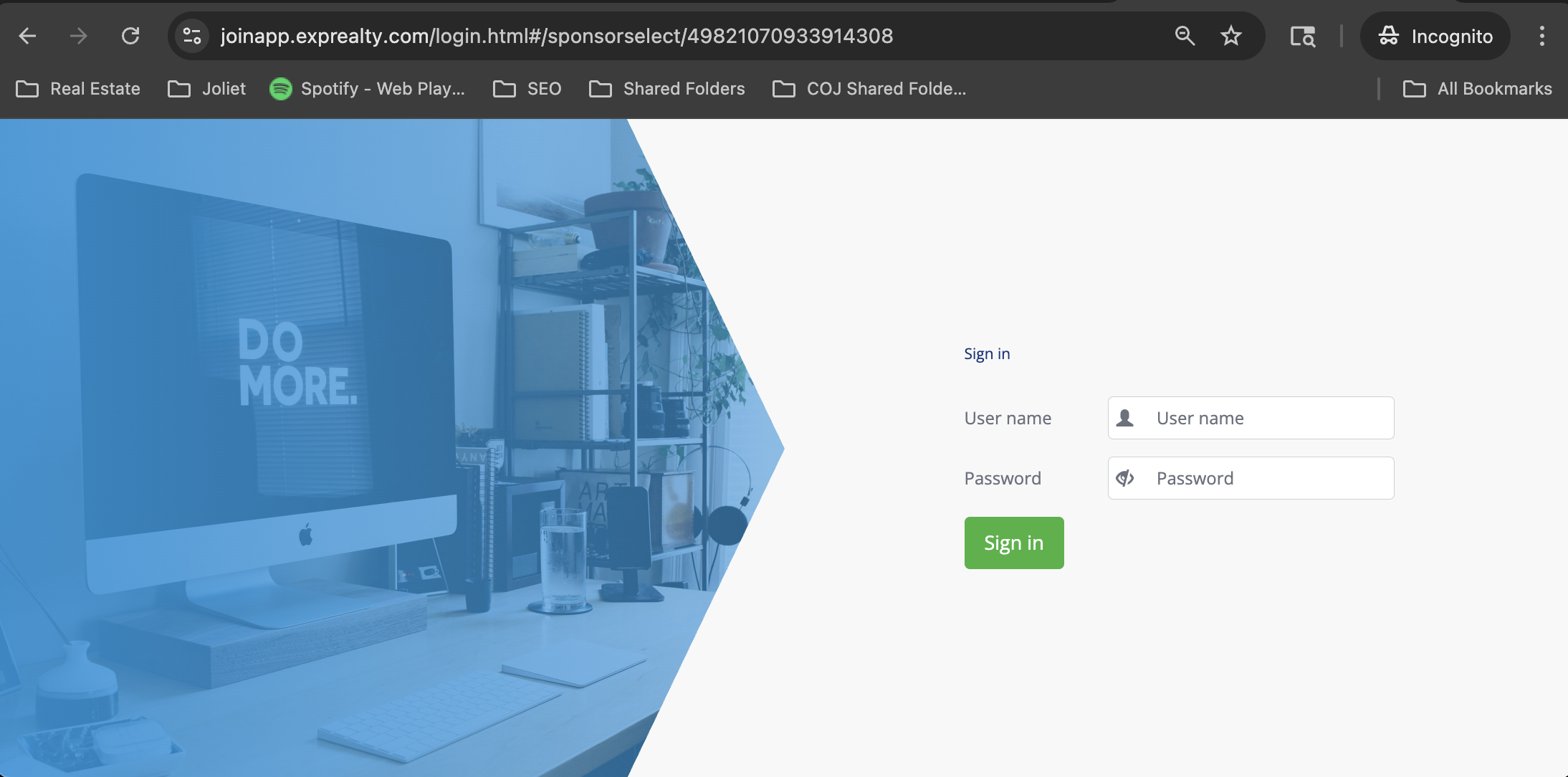
This screen appeared to be a glitch, because it is now asking you to login with your User name and Password, which has not been setup yet, so if you also get this screen, then go back to joinapp.exprealty.com, enter your email into the “Resume/Manage Application” box and click “SIGN IN”
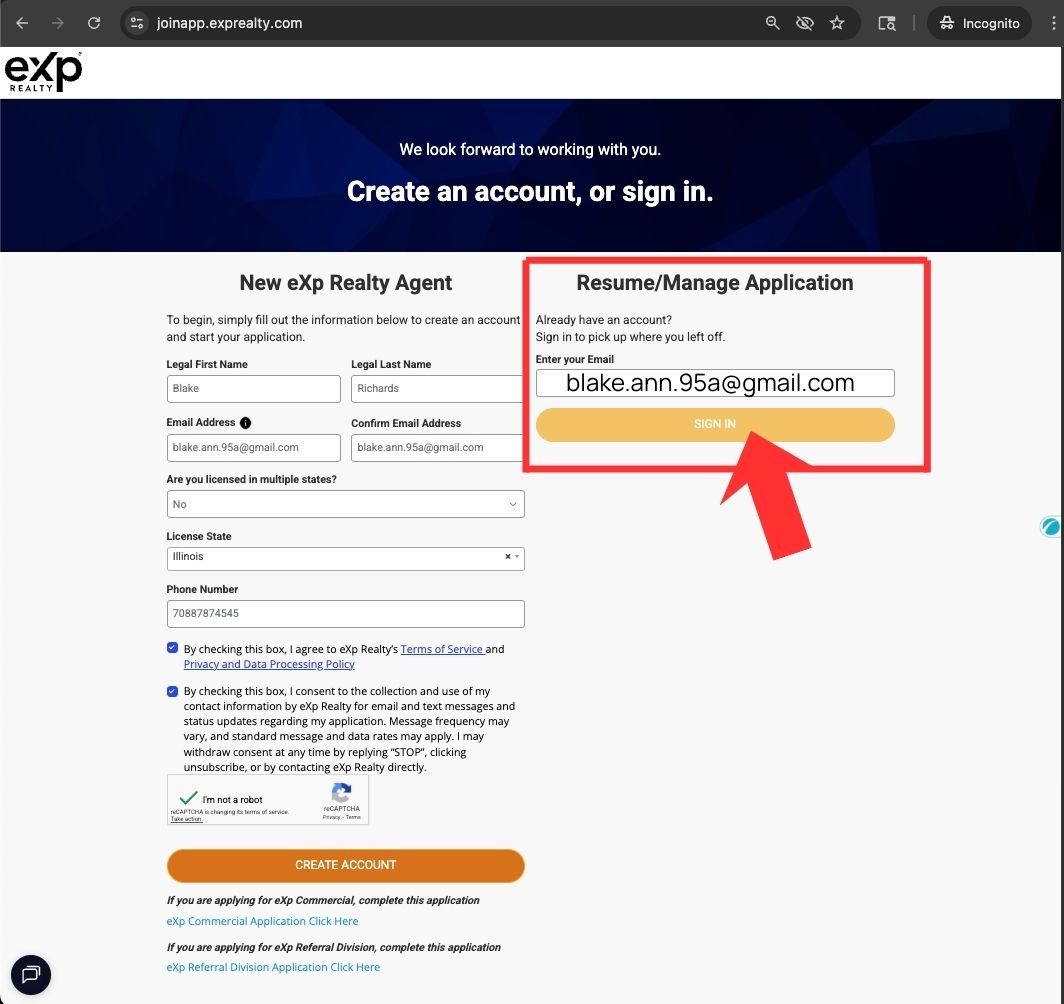
Then go back to “Take me back!”
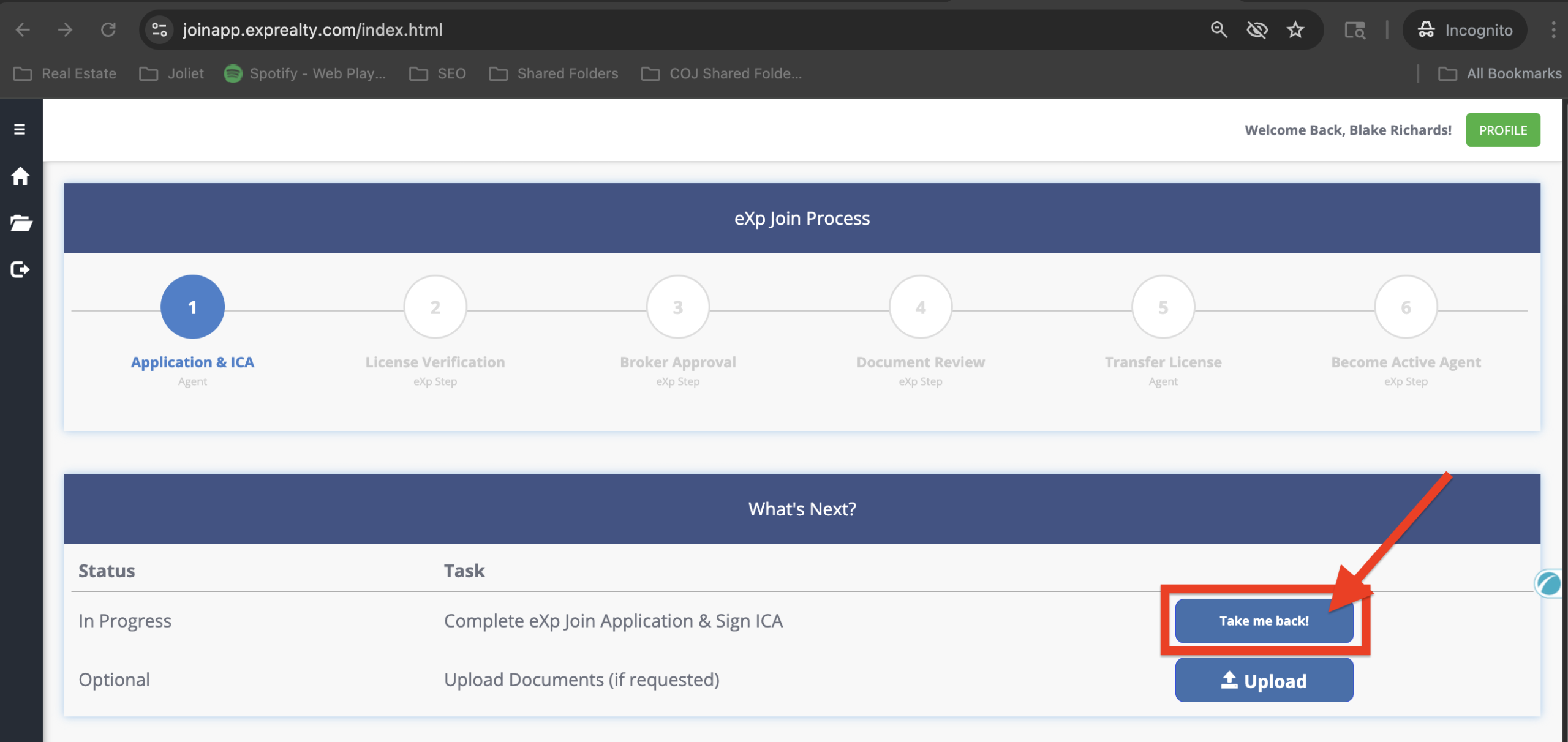
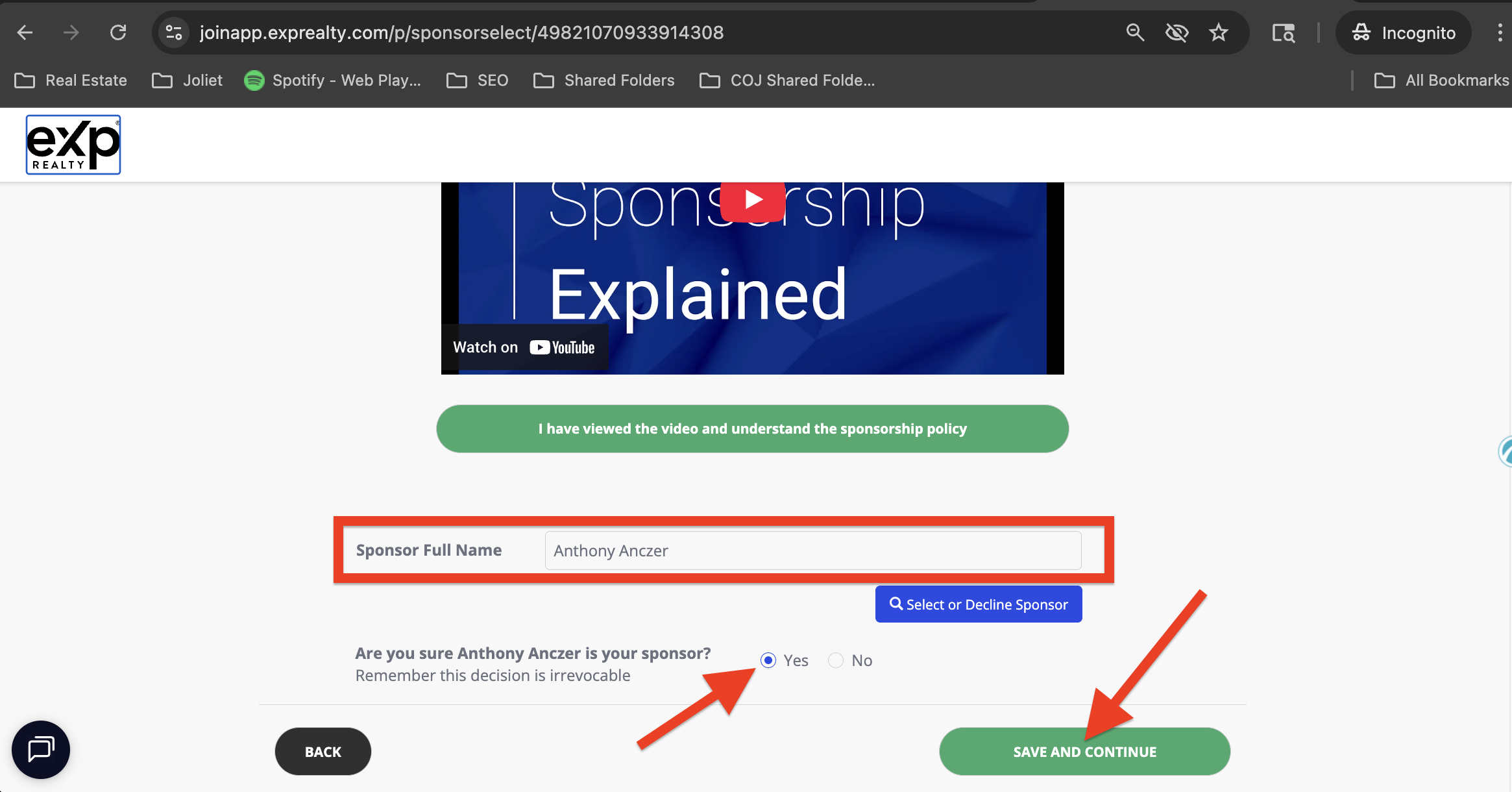
Then go back to “Take me back!” and you’ll be brought to the sponsor confirmation boxes:
- Click the green “I have viewed and understand the sponsorship policy” button
- Confirm that the Sponsor Name is filled in
- Click the button to select “yes” to confirm your sponsor selection
- Then click “SAVE AND CONTINUE”
Next you will be prompted to fill out the “License Tab”
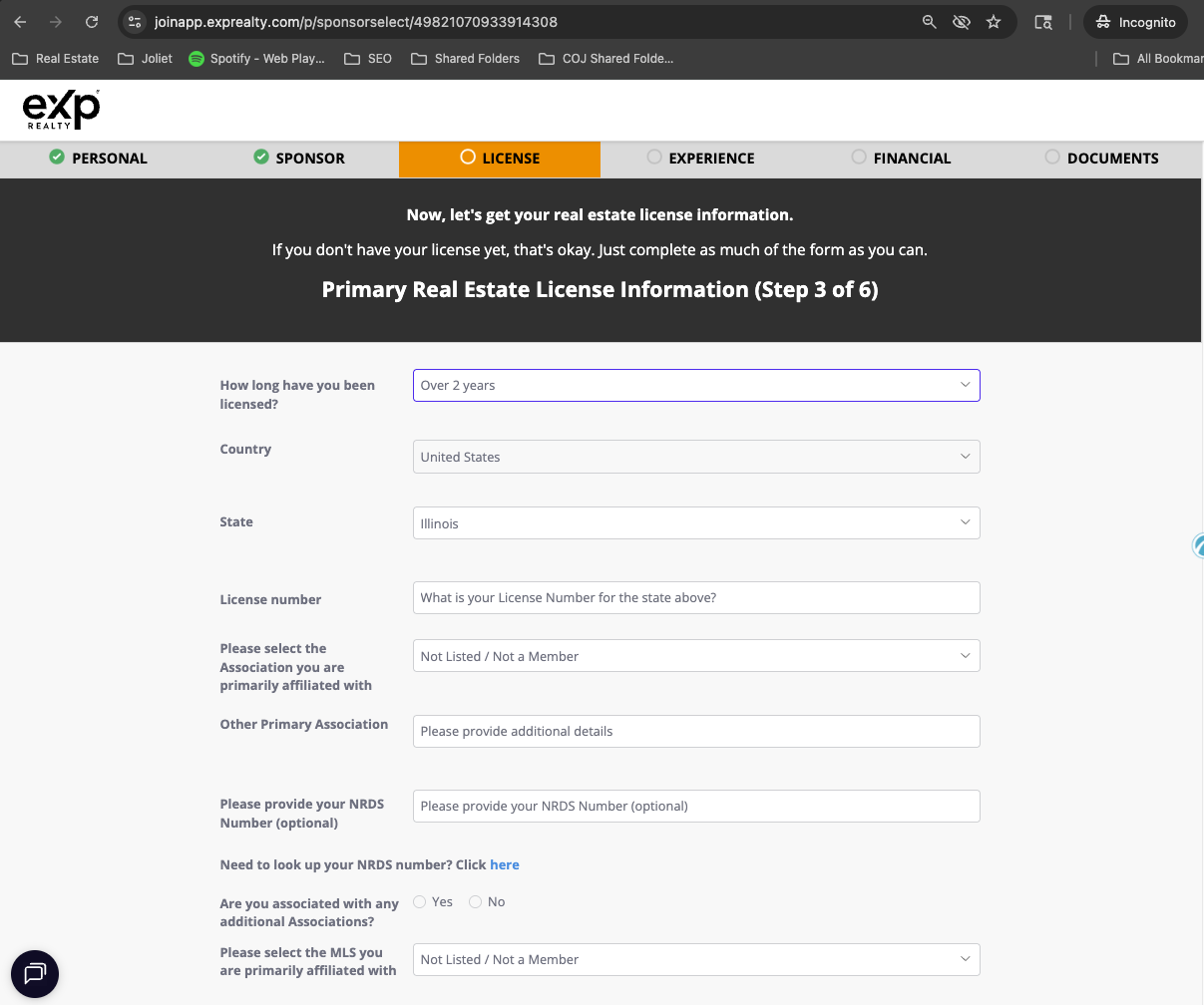
Complete the License Tab and click the green "SAVE AND CONTINUE" Button
The license tab is responsive, so when you answer questions, the form will adapt with more questions depending on how you answer the questions.
For question 1, “How long have you been licensed,” the options are:
- Brand new agent
- Less than 1 year
- 1-2 years
- Over 2 years
If you select “Brand new agent,” then the next questions are:
- How long have you been licensed?
- Country
- State
- License Number
- Please select the association you intent to join
- Please select the MLS you intend to join
- Do you intend to join other associations of MLS?
- Number of sales transaction in past 12 months in your state/province
- Number of rental transactions in past 12 months in above state/province
- Do you have any existing transactions or listings that you would like to bring to eXp Realty?
- If yes – How many existing transactions or listings do you have?
- Are you licensed in another state or province?
- Are you licensed or do you conduct real estate in another country?
If you select “Less than 1 year,” the next questions are then:
- How long have you been licensed?
- Country
- State
- License Number
- Please select the Association you are primarily affiliated with
- Other Primary Association
- Please provide your NRDS NUmber (optional)
- Are you associated with any additional Associations?
- Please select the MLS you are primarily affiliated with
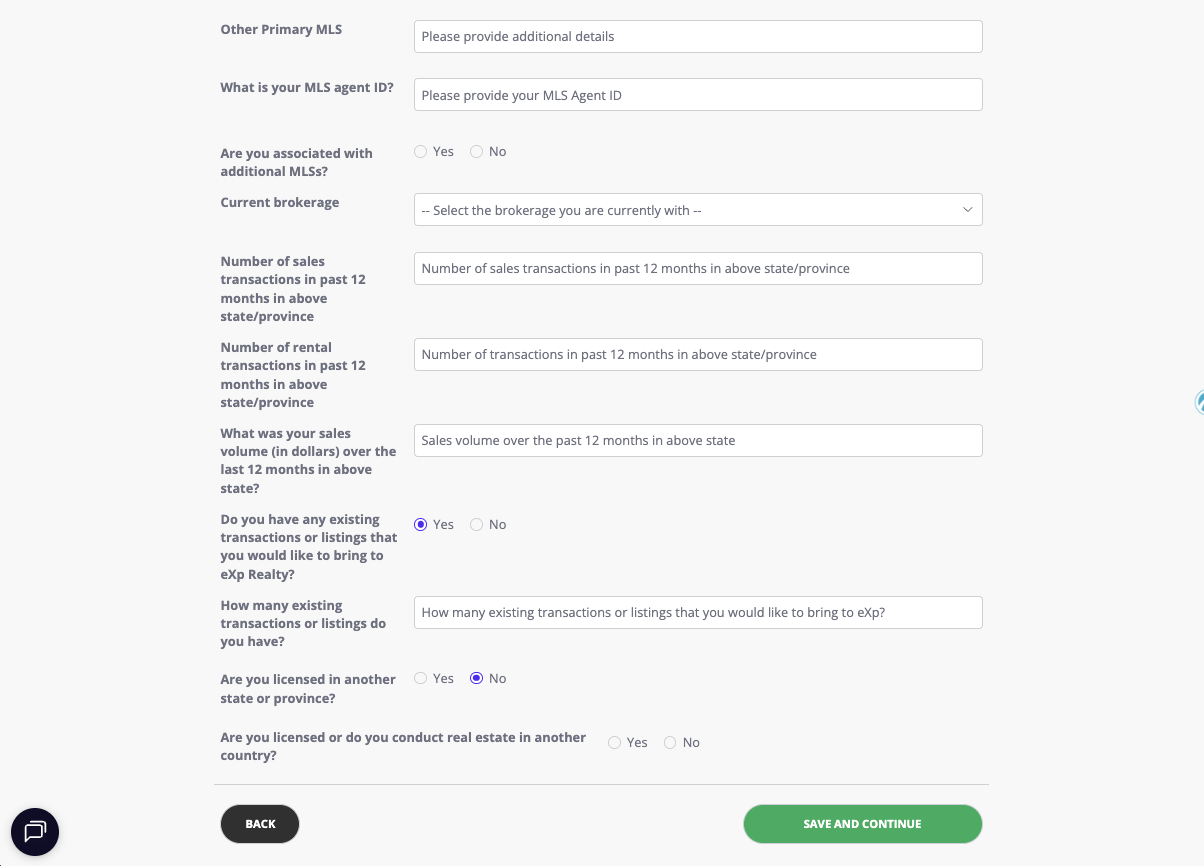
- Other Primary MLS
- What is your MLS agent ID?
- Are you associated with additional MLSs?
- Current brokerage
- Number of sales transaction in past 12 months in your state/province
- Number of rental transactions in past 12 months in above state/provinceWhat was your sales volume (in dollars) over the last 12 months in above state?
- Do you have any existing transactions or listings that you would like to bring to eXp Realty?
- If yes – How many existing transactions or listings do you have?
- Are you licensed in another state or province?
- Are you licensed or do you conduct real estate in another country?
If you select “1-2 Years”, your next questions are the same as if you selected “Less than 1 year”
If you select “Over 2 Years”, your next questions are the same as if you selected “Less than 1 year”
Complete the "Experience" Tab and click the green "SAVE AND CONTINUE" Button
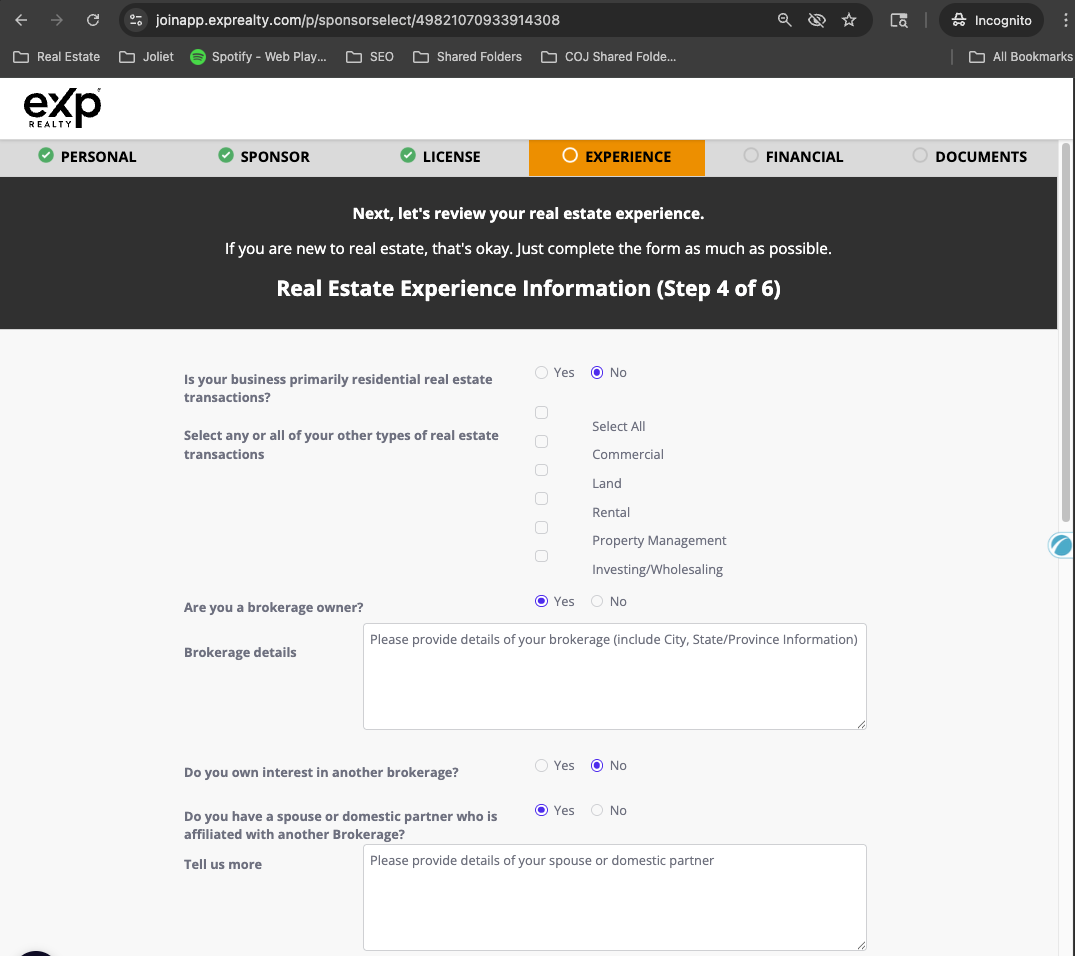
The “Experience Tab” is also responsive, so when you answer questions, the form will adapt with more questions depending on how you answer the questions. In the below image, for reference, I selected all the boxes that would show all the possible questions.
- The information needed for this tab is:
Is your business primarily residential real estate transactions?- If yes, then move to next questions. If no, then select: commercial, land, rental, property management, investing/wholesaling
- Are you a broker owner?
- If no, then move to next question. If yes, then enter brokerage details including City, State/Province
- Do you own interest in another brokerage? yes/no
- Do you have a spouse or domestic partner who is affiliated with another Brokerage? if not, move to next question. If yes, then provide details of your spouse or domestic partner
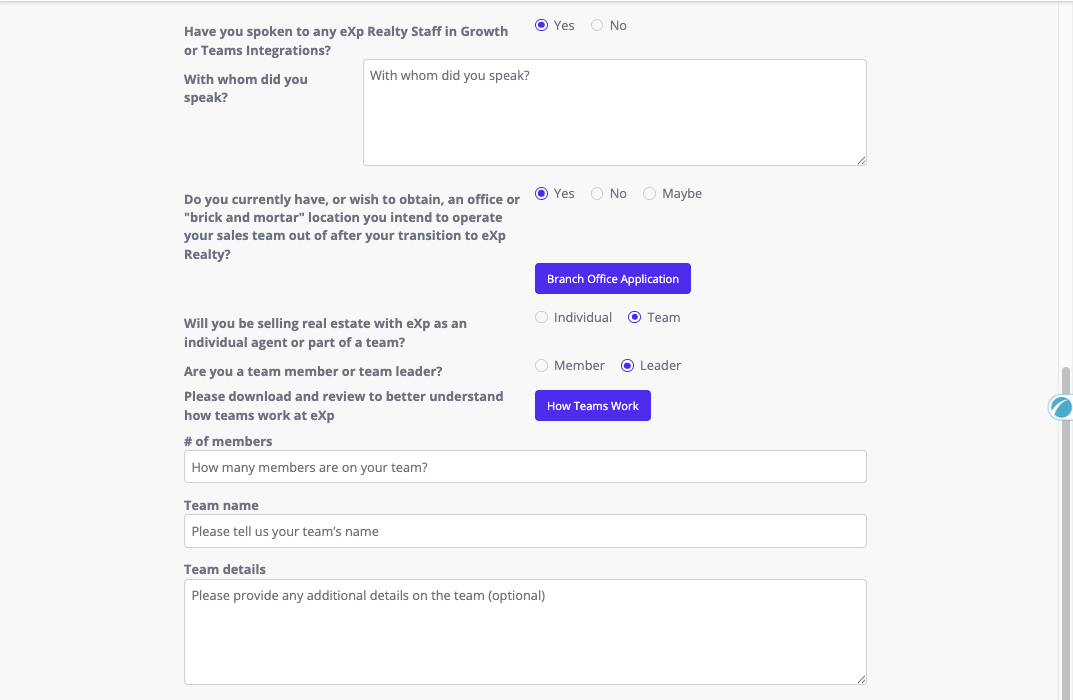
- Have you spoken to any eXp Realty Staff in Growth of Teams Integration? If no, move to next question. If yes, list who you spoke with.
- Do you currently have, or wish to obtain, an office or “brick and mortar” location you intend to operate your sales team out of after your transition to eXp Realty? If no, move to next question. If yes, fill out the Branch Office Application.
- Will you be selling real estate with eXp as an individual agent or part of a team? If individual, move to next question. If Team, enter the following Team info:
- Are you a team member or team leader?
- # of members
- Team name
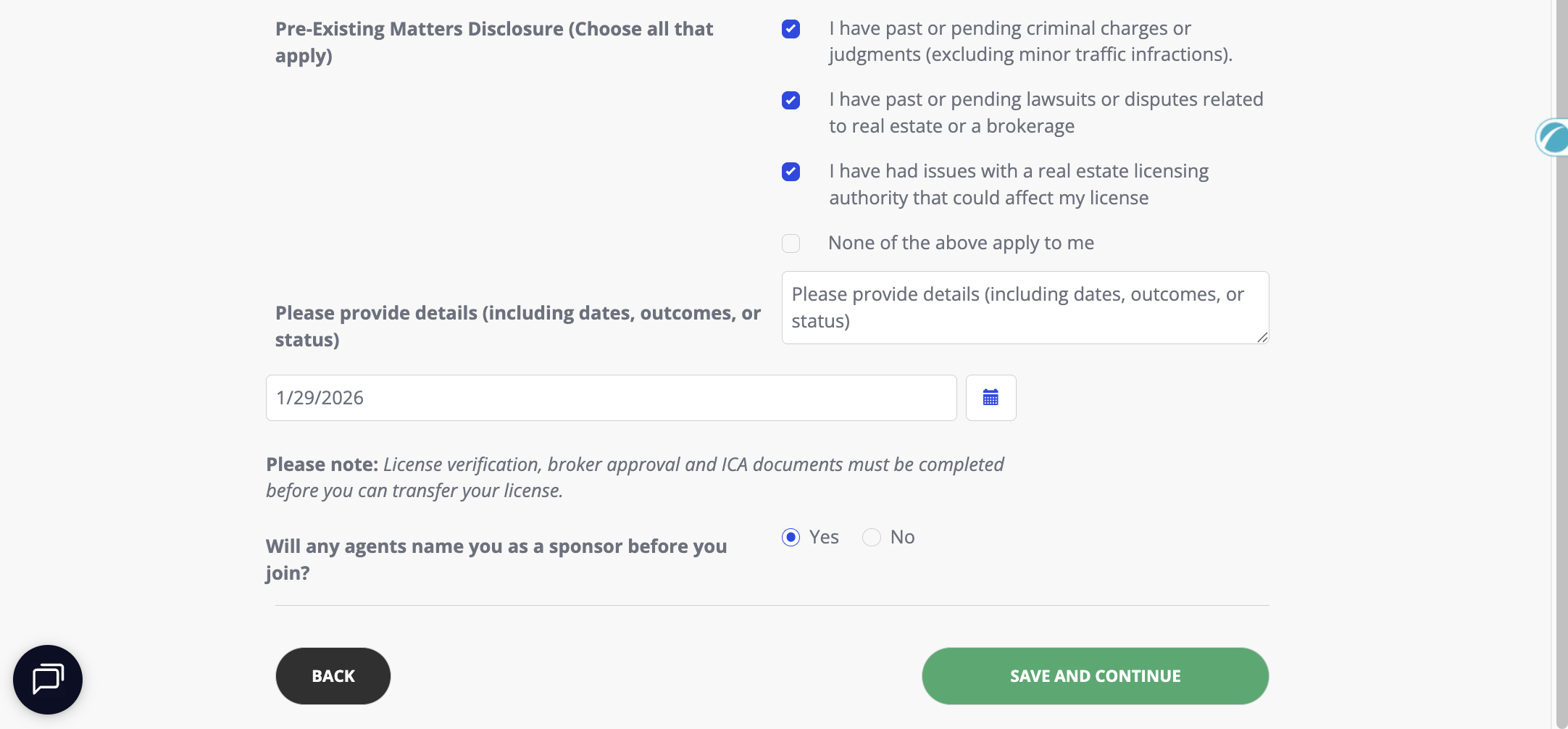
- Team details Pre-Existing Matters Disclosure (Choose all that apply. If your selection is “None of the above apply to me”, then move to next question)
- I have past or pending criminal charges or judgments (excluding minor traffic infractions).
- I have past or pending lawsuits or disputes related to real estate or a brokerage
- I have had issues with a real estate licensing authority that could affect my license
- (if any of the above are applicable) Please provide details (including dates, outcomes, or status)
- When do you plan to tranfer you license to eXp Realty?
- Will any agents name you as sponsor before you join?
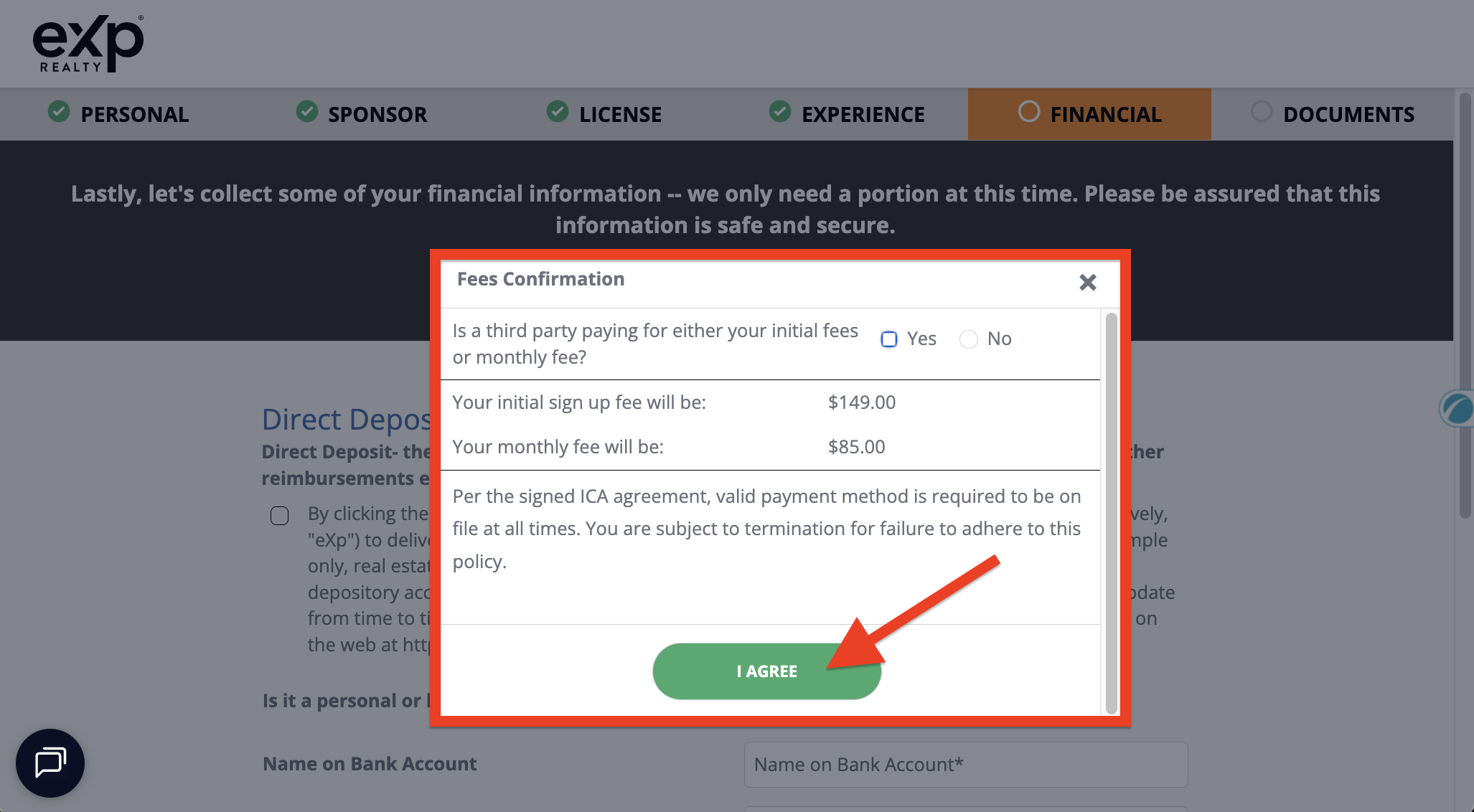
After clicking the green “SAVE AND CONTINUE” button, a “Fees Confirmation” screen with show.
If a third party is paying for either your initial fees or monthly fees, click yes, and then enter the Third Party Name and Third Party Email Address
The sign up fee is $149.000 and the monthly fee is $85.00 (U.S.)
Click the green “I AGREE” button
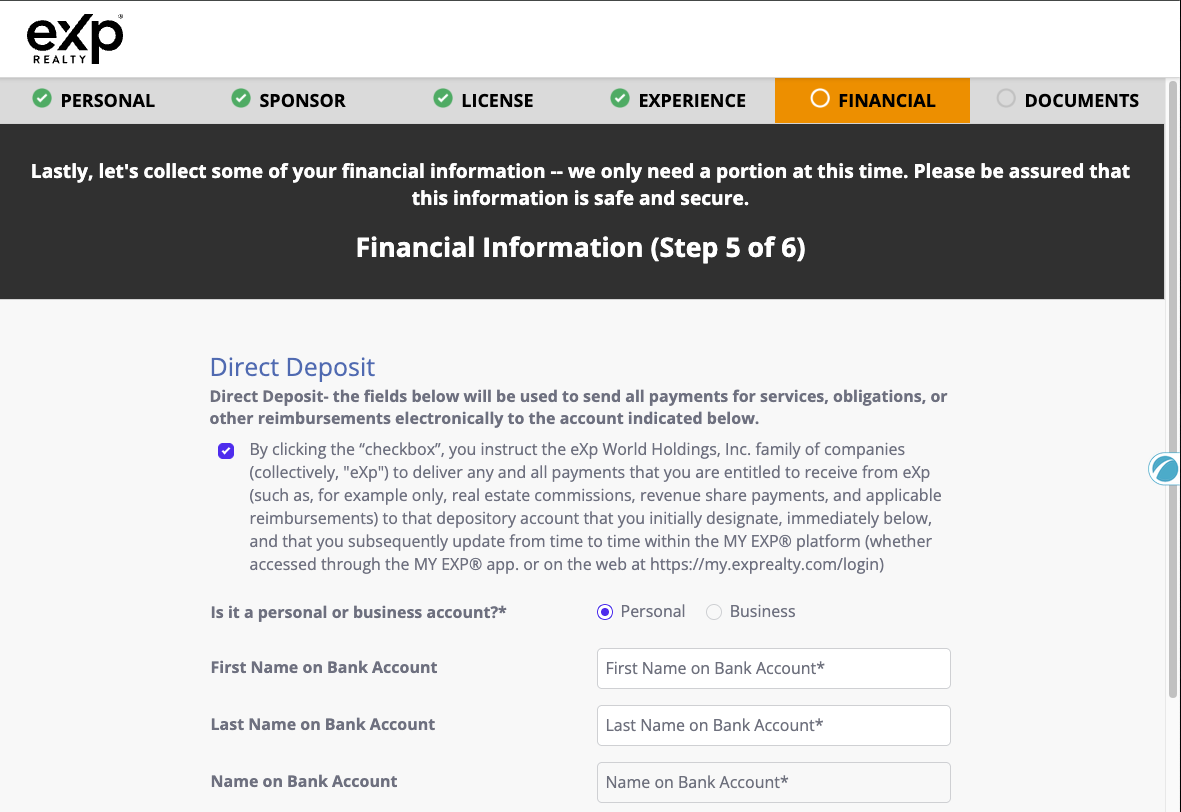
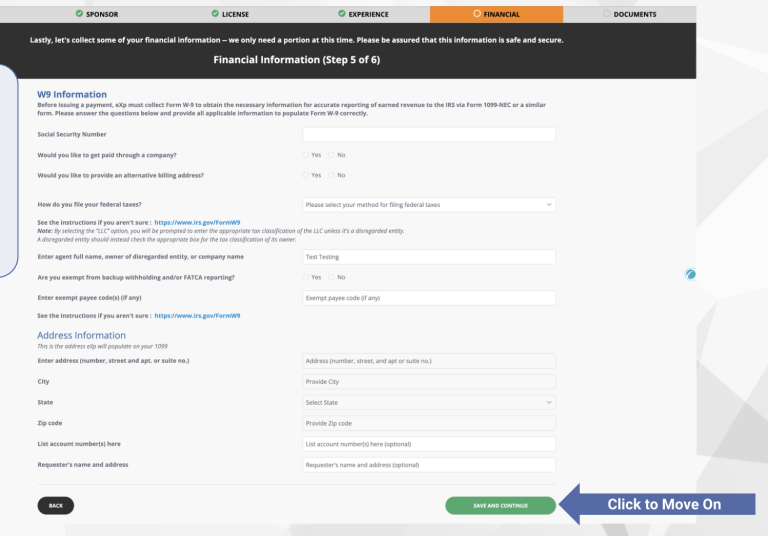
Now fill out the Financial tab.
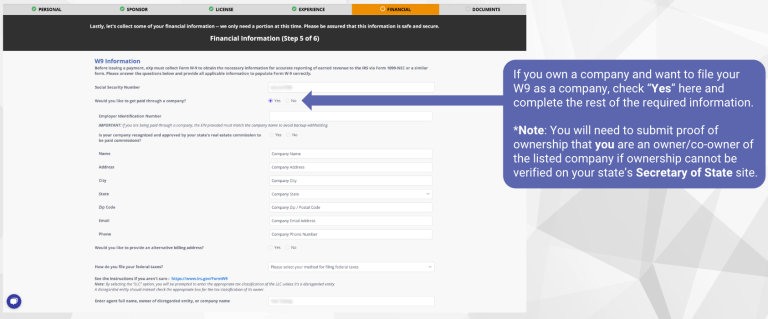
On the financial tab you will fill in:
Direct Deposit Information
- Is it a personal or business account?
- First Name on Bank Account
- Last Name on Bank Account
- Name on Bank Account
- Name of your bank
- Routing number
- Account number
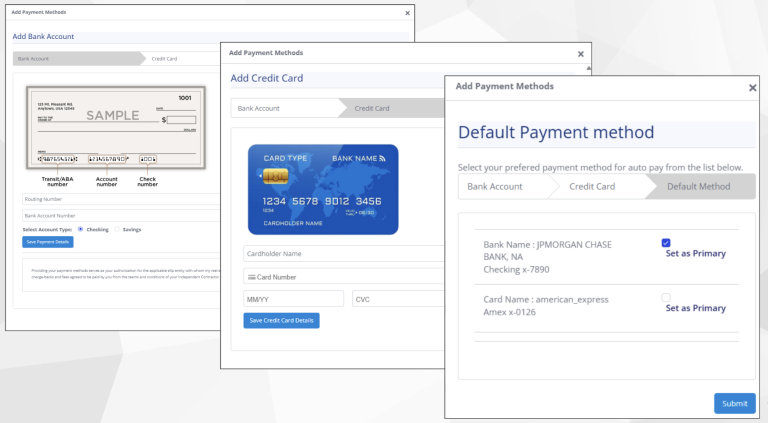
Click the blue “Submit Payment Details Here” button.
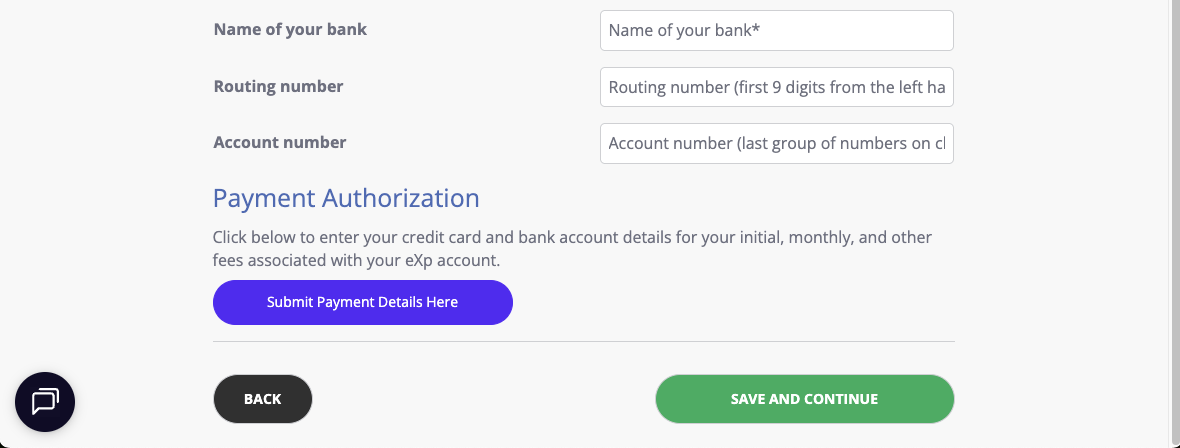
After entering your bank information for direct deposit, then click the blue “Submit Payment Details Here” button to enter your payment information for your monthly fees.
You will enter your bank information, then can enter credit card information, then can select which you prefer to be your default payment information. (I select credit card as my default payment method so that we get credit card points.)
Complete the "Documents" Tab
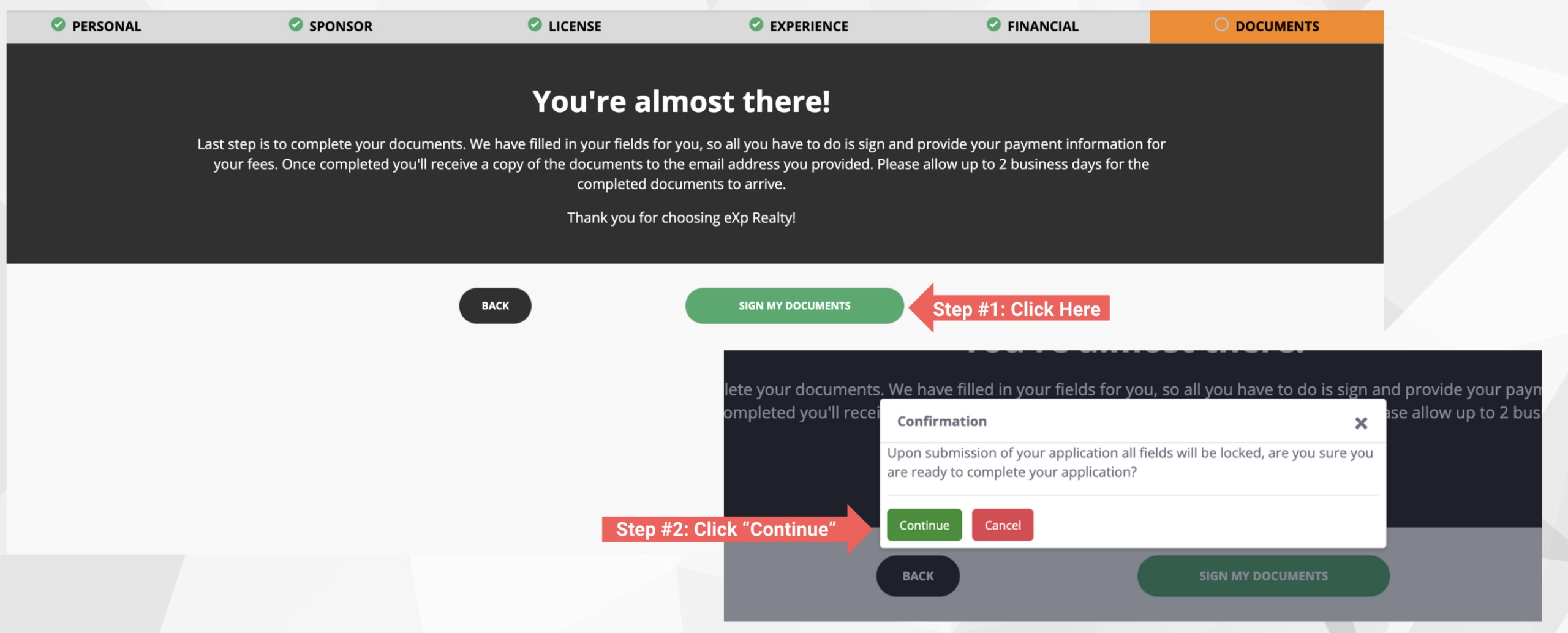
To complete the documents tab, you will click the green “SIGN MY DOCUMENTS” button, and then click the “Continue” button.
Check for any remaining documents to review and sign.
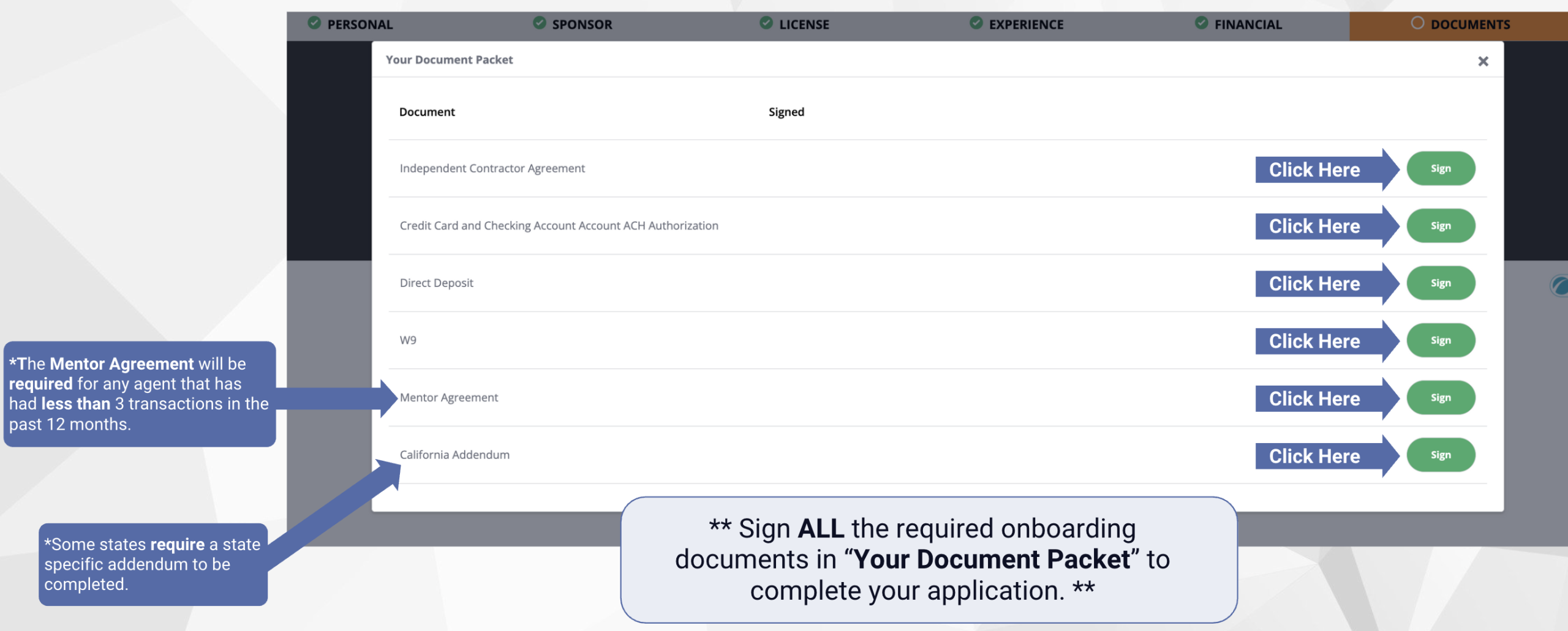
Yahooo! Now your application is submitted!
Things are now in the hands of eXp Realty.
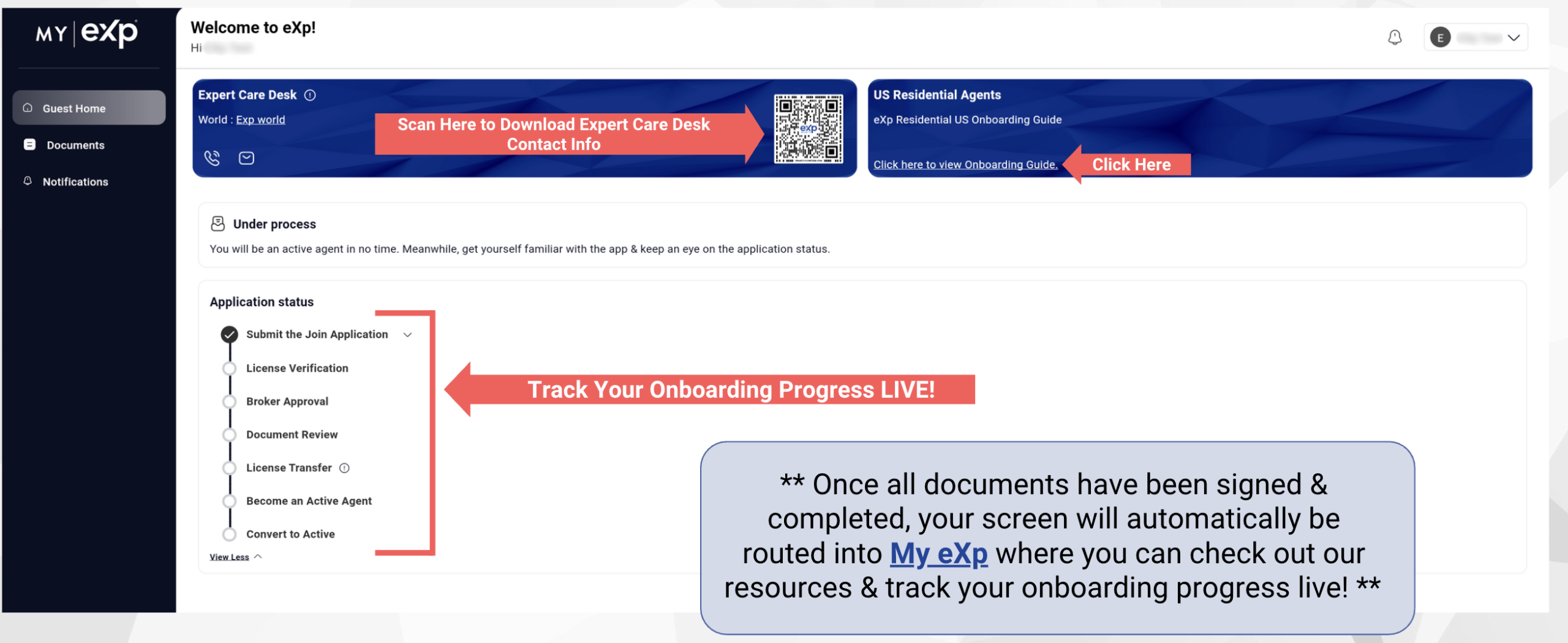
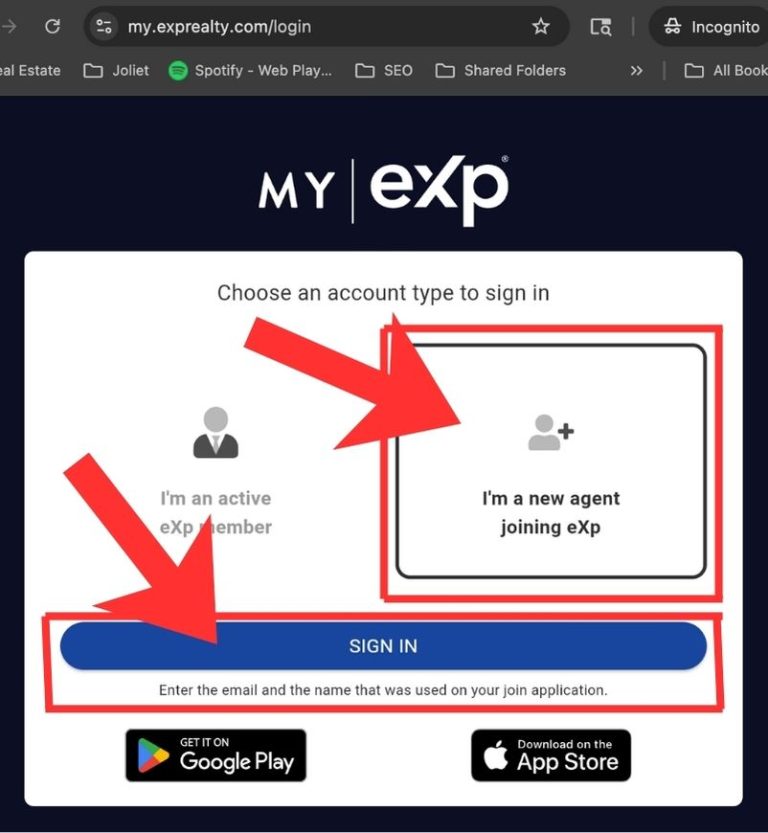
To check status of review of your application, go to your MyExp account at my.exprealty.com/login
Click the “I’m a new agent joining eXp” box, and then click “Sign In”
Step 2 - Your Real Estate License Is Verified
You will then be prompted with a Confirmation pop-up.
Click the blue “Proceed” button
…
Step 3 - eXp Reviews And Approves Your Application
…
Step 4 - Complete Documentation
…
Step 5 - Your Real Estate License Tranfers to eXp
…
Step 6 - Become An Active Agent (called the "Onboarding process)
…